Investing in Solana Ecosystem: India Guide

Crypto & AI MAXI
This guide will walk you through the process of buying Solana (SOL) in India using Binance, transferring it to your Phantom Wallet, and trading on Raydium or DexScreener. Follow these steps carefully to get started with Solana and decentralized finance (DeFi).
Step 1: Create an Account on Binance India

Visit the Binance India website or download the Binance app.
Click on "Register" and sign up using your email address or phone number.
Set a strong password and complete the account creation process.
Verify your email address by clicking on the link sent to your inbox.
Step 2: Complete KYC Verification
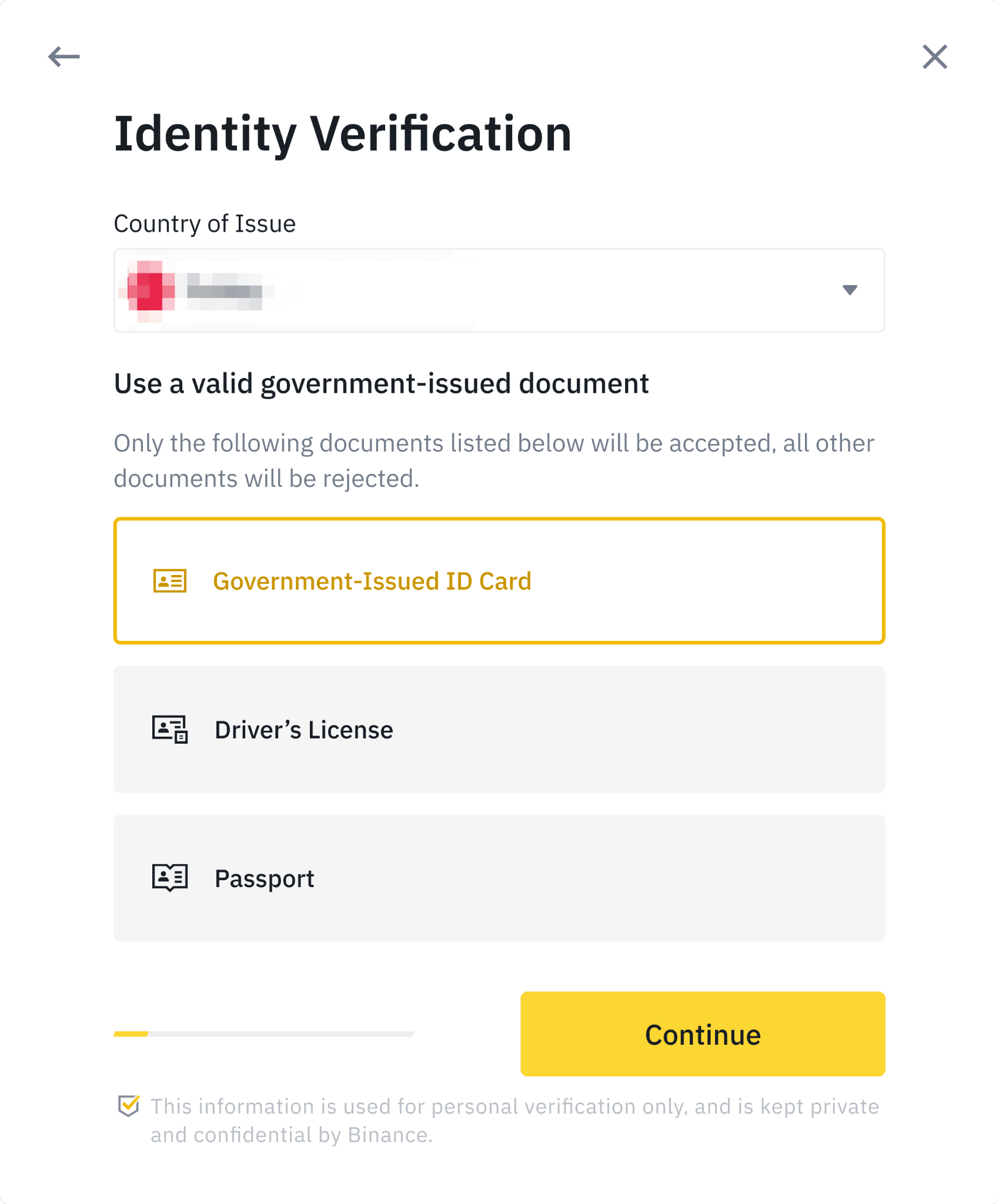

Log in to your Binance account.
Go to "Account" > "Identification" to start the KYC process.
Provide the required documents:
A government-issued ID (Aadhaar, PAN, or Passport).
A selfie for facial verification.
Wait for Binance to approve your KYC (usually takes a few hours to a day).
Step 3: Install and Set Up Phantom Wallet

Download the Phantom Wallet extension for your browser (Chrome, Brave, or Firefox) or the mobile app from the official website: https://phantom.app.
Open the Phantom Wallet and click on "Create a New Wallet."
Securely store your seed phrase (12-word recovery phrase) in a safe place. Do not share it with anyone.
Set a strong password for your Phantom Wallet.
Step 4: Buy Solana (SOL) P2P on Binance India
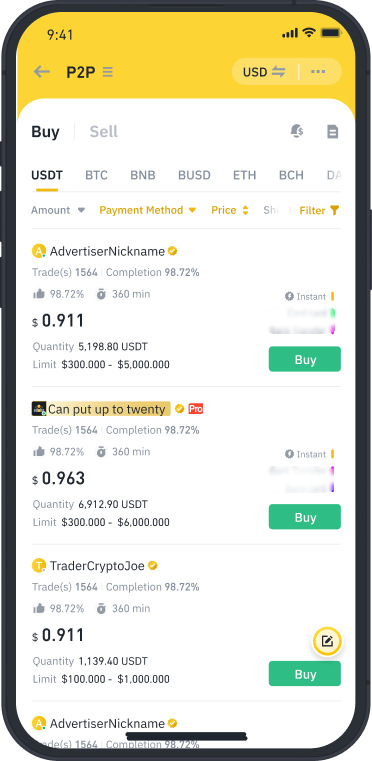
Log in to your Binance account.
Go to the "P2P Trading" section.
Search for Solana (SOL) in the list of available cryptocurrencies.
Select a seller offering SOL for INR and choose UPI as the payment method.
Enter the amount of SOL you want to buy and complete the transaction by transferring the INR amount to the seller’s UPI ID.
Confirm the payment and wait for the seller to release the SOL to your Binance wallet.
Step 5: Transfer Solana to Phantom Wallet

Open your Binance account and go to "Wallet" > "Spot Wallet."
Locate your Solana (SOL) balance and click on "Withdraw."
Open your Phantom Wallet and copy your Solana wallet address.
Paste the address in the withdrawal section on Binance.
Double-check the address and confirm the withdrawal.
Wait for the transaction to complete (usually takes a few minutes).
Step 6: Access DexScreener and Find a Token

Visit https://dexscreener.com.
Search for the token or trading pair you want to buy (e.g., SOL/USDC or any other Solana-based token).
Analyze the token’s chart, liquidity, and other details before proceeding.
Step 7: Connect Phantom Wallet to Raydium
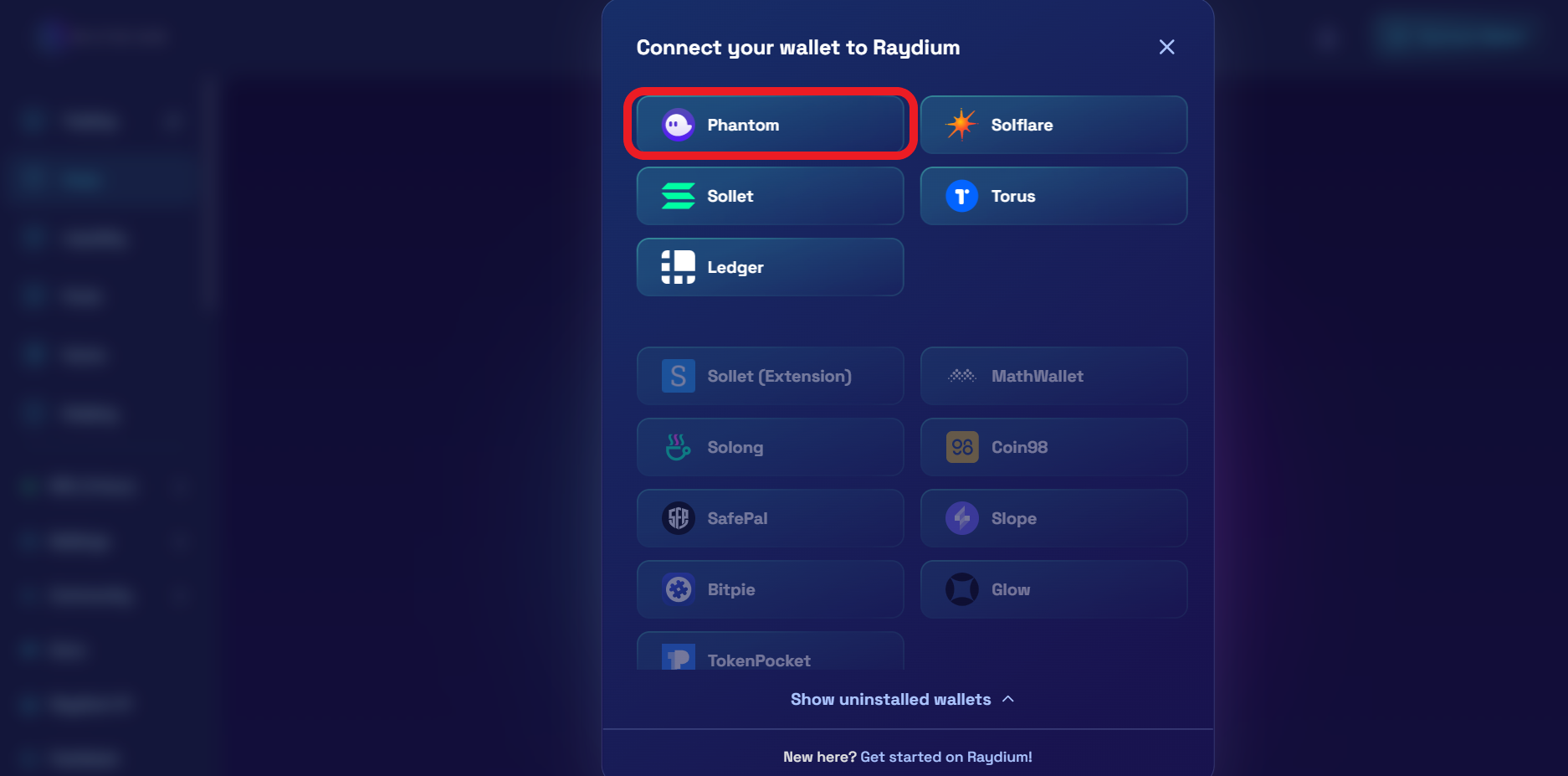
Click on the "Buy" or "Trade" button on DexScreener, which will redirect you to Raydium (a Solana-based decentralized exchange).
Connect your Phantom Wallet by clicking on "Connect Wallet" and selecting Phantom.
Authorize the connection in your Phantom Wallet.
Step 8: Buy Tokens on Raydium
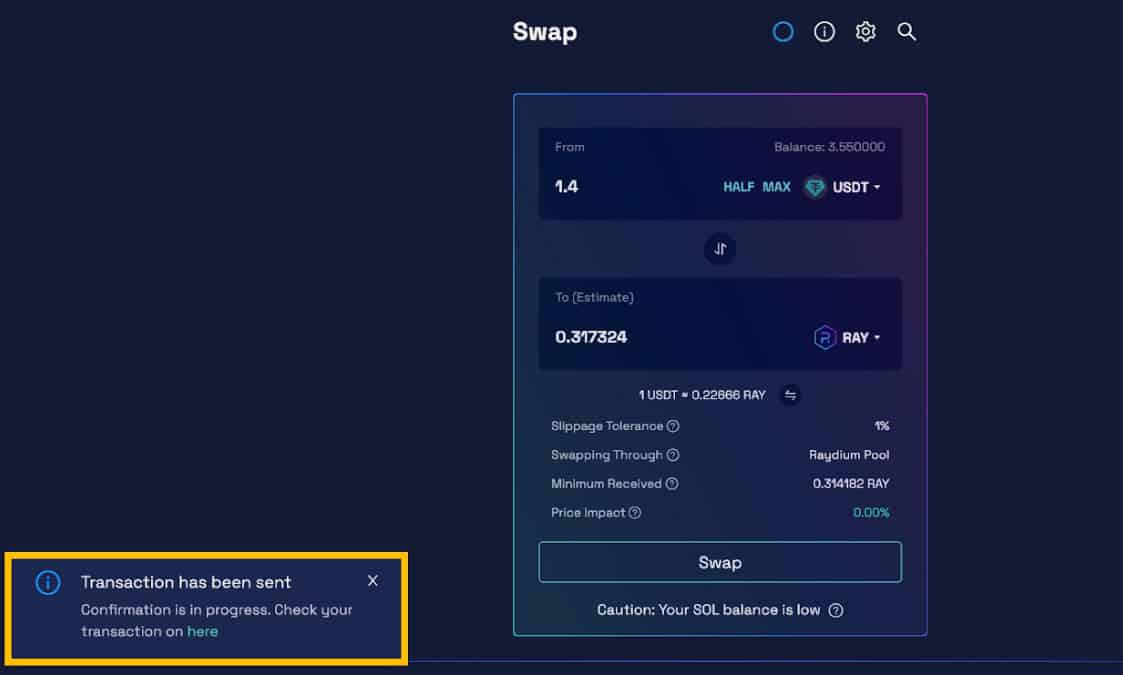
Select the token you want to buy from the trading pair (e.g., SOL/USDC).
Enter the amount of SOL you want to spend or the amount of the token you want to buy.
Review the transaction details, including gas fees.
Confirm the transaction in your Phantom Wallet.
Wait for the transaction to process, and the tokens will be added to your Phantom Wallet.
Step 9: Secure Your Assets
Always double-check wallet addresses before transferring funds.
Keep your seed phrase and wallet password secure.
Be cautious of phishing websites and scams. Only use official links for Binance, Phantom, and Raydium.
Final Thoughts
Buying Solana in India and trading on decentralized exchanges like Raydium is a straightforward process once you’ve set up your accounts and wallets. Always do your research before investing in any cryptocurrency or token. Happy trading!
Disclaimer: Cryptocurrency investments are subject to market risks. This guide is for educational purposes only. Please consult a financial advisor before making any investment decisions.


